99Exch APK — Trusted Download Link on the Sign-In Screen
Install the 99Exch APK by opening a working sign-in address such as 99exch.red, tapping Download .apk under the Login form, and allowing installs from that source once when Android asks. The app then takes the same User Name and Password you already use. iPhones cannot run the file; Safari is their route.
Download .apk sat under the sign-in form on .red, .live, .green and .win in our 10 Oct 2026 check.
Fast 99Exch APK Sign-In Test Before the Phone Spends Storage
Settle one thing first. If your User Name and Password already open 99Exch in the browser, the 99Exch app will accept the same pair, so prove the ID works on the real screen before a tight phone gives up space to the install. No ID yet? The 99Exch desk issues one before any file is worth downloading.
Welcome to 99exch · the screen the file comes from
Which 99Exch APK Route Fits Your Phone: Quick Decision Rows
Start with the phone in your hand, not the link in your chat. A forwarded 99Exch APK message is convenient, yet the file behind it is only as good as the screen it came from, and in our 10 Oct 2026 check (around 16:45 IST) the Download .apk action appeared on the sign-in screen titled Welcome to 99exch on four addresses: .red, .live, .green and .win.
Android phone, link opens a Welcome to 99exch screen. Install from there. That screen lists User Name, Password, Login, Login with Demo ID, the reCAPTCHA notice and then Download .apk, so the 99Exch file comes from the very page you would sign in on anyway.
Link opens 99exch.com. You are standing in the full 99Exch sports lobby, with Rules and Login across the top. We logged the APK action on the sign-in addresses rather than in that lobby row, so either tap Login or switch to .red for the download.
Link lands on 99exch.io. Stop. It returned a 404 in our check, which means nothing to install.
The phone is an iPhone. Skip the file entirely, because the 99exch apk is an Android package and iOS will not open it. iPhone owners sign in through Safari and pin the page to the home screen, and the 99Exch app page for iPhone and home-screen use covers that route in order.
Bare file from someone you barely know. Do not open it. Ask which address they downloaded from, then fetch your own copy from that address.
Most people who reach this page sit somewhere betwen the first row and the last. A friend taps Share This Apk to Friend, the link drops into WhatsApp, and a phone that is already short on storage starts pulling the file over home wifi before anyone looks at where it points. Pause right there. Ten seconds of checking the address bar saves a reinstall later.
Check that the forwarded link opens a Welcome to 99exch screen; that screen is where Download .apk lives.
There is a second decision hiding behind the first: do you need the file at all? The browser route works on the same addresses with the same 99Exch ID and the same balance. Someone who looks at a cricket market once a day probably does fine in Chrome. Someone who signs in to 99Exch five or six times an evening tends to want the icon, and that is who the install is really for.
Easy 99Exch App Download APK Steps Over Home Wifi
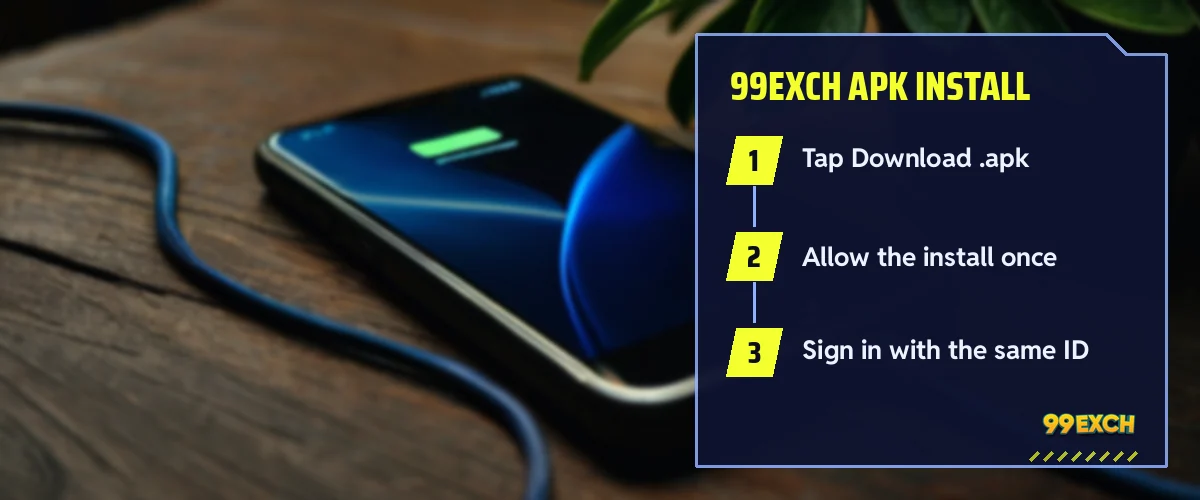
Home wifi suits this job. The file arrives in one go, nothing cuts out between towers, and you can read each Android prompt properly instead of tapping through it on a crowded platform. These seven steps follow the 99Exch screen exactly as we saw it on 10 Oct 2026.
Open a sign-in address. Type 99exch.red, or .live, .green or .win, into Chrome, or tap the address inside your friend's message once you have confirmed it reads one of those four.
Read the heading. Welcome to 99exch at the top means you are in the right place; a sports list with Rules and Login instead means the .com lobby, so switch addresses.
Tap Download .apk. It sits below the reCAPTCHA notice and above Contact On Whatsapp, and the file lands in your Downloads folder.
Open the file. Pull down the notification shade or open the Files app, then tap the 99Exch package.
Answer the permission prompt. The first time a downloaded package is opened, the phone names the app holding it, whether Chrome, Files or WhatsApp, and wants a yes for that app alone; give it, tap back once, and the 99Exch installer screen returns.
Let the installer finish. Press Install; when the done screen offers Open, take it, and the 99Exch icon also lands in the app drawer.
Sign in with your existing ID. Enter the same User Name and Password you use in the browser, keeping in mind that both are case-sensitive.
The forwarded-link scene makes step five fiddlier than it needs to be. Because the link arrived in WhatsApp, plenty of phones open the 99Exch download inside WhatsApp itself, so the prompt asks about WhatsApp and not Chrome, even if Chrome got permission last month for something unrelated. Say yes to whichever name appears. Later, in Settings, that same switch can go back off without touching the installed 99Exch app.
No account yet? The app cannot create one. A new ID comes through the WhatsApp desk, and how the 99Exch desk issues a fresh ID lists what to send; the User Name and Password come back in that same chat.
Quick timing note. On a decent home connection the the whole sequence, from opening .red to the first sign-in inside the app, is a matter of minutes, though we would rather not put a number on it when phones and lines vary so much.
Safe 99Exch Download on a Phone Short on Storage
Low storage is the quiet reason a lot of 99Exch APK installs fail. The download can finish while the install cannot, because Android needs room for the package file and for the unpacked app at the same moment, and it does not always say that is the problem.
We do not print a file size here. None was shown on the sign-in screen in our check, and guessing would only mislead someone deciding what to delete.
Make room before you tap Download .apk, not after. Old copies of the same 99Exch file in Downloads are the easiest thing to clear; people who retried three times often have three copies sitting there, each one taking the space the install needed.
Keep one copy, then none. After a successful install the downloaded file has done its job. Deleting it from Downloads does not remove the app or touch your 99Exch account.
Here is the pattern we hear about most. A player on an older Android, gallery full of forwarded clips, gets the share link from a cousin, opens it on home wifi late in the evening, watches the download complete, and then gets App not installed with no reason given. Space was the cause every time. Clearing a few videos and opening the same file again did it.
If the phone keeps running out, the browser route needs no install whatsoever. Sign in on .red with the 99Exch login steps for the browser and add a home-screen shortcut from Chrome's menu; the shortcut costs next to nothing in storage, and your 99Exch ID behaves exactly as it would in the app.
99Exch APK Not Installing? Working Fixes by What the Screen Says
Android rarely explains itself in plain words, so the table reads the message first and the cause second. Two rows cover most cases in practice: storage and the source permission. The rest turn up now and then, usually after a 99Exch file was forwarded through two or three chats before it reached your phone.
What the phone shows
Usual cause
Fix that tends to work
App not installed
Too little space, or an older 99Exch app already on the phone clashing with the new file
Clear space; if an earlier copy of the app is installed, remove it first, then open the new file
Prompt about installing unknown apps
Chrome, Files or WhatsApp has no install permission yet
Allow that one app, press back, carry on
Problem parsing the package
The download broke off part way
Delete the file and tap Download .apk again on wifi
Download finished, nothing happened
The file saved quietly to Downloads
Open Files, then Downloads, and tap the package
Play Protect warning
Any app from outside the Play Store gets this check
Continue only if you took the file from a Welcome to 99exch screen yourself; otherwise cancel
A 404 page instead of the sign-in screen
Dead address; 99exch.io gave exactly this on 10 Oct 2026
Try .red, .live, .green or .win
App opens, Login fails
A typo, or the wrong case in the password
Re-type slowly; for a reset, message the desk
The last row is not an install problem at all, though it feels like one at eleven at night. 99Exch passwords are case-sensitive, and a phone keyboard that capitalises the first letter on its own is the usual culprit. If re-typing does not help, the Password Issue lane on the WhatsApp desk resets it; the number and the desk lanes are on the 99Exch WhatsApp number page, where +91 81097 11726 is shown as text. Message from the number your 99Exch ID was set up with, if you can, so the desk sees the same chat thread.
Retrying a broken download? Delete the first copy before tapping Download .apk again. Android tends to save the second attempt under a slightly altered name, such as a (1) on the end, and it is easy to open the old broken 99Exch file by mistake and see the same parsing error twice. One copy in Downloads keeps that from happening.
One caution on the Play Protect row. The warning itself is not proof that anything is wrong, since every direct download triggers it. What decides the matter is where the file came from, which is why the first section of this page keeps pointing you back to the sign-in screen.
Real 99Exch APK Updates, the Latest Version Question and First Sign-In
A search for the 99exch app download apk latest version assumes a numbered file is parked on some shelf. The Welcome to 99exch screen we opened at about 16:45 IST on 10 Oct 2026 listed Download .apk and nothing more: no number, no date beside it. So the newest 99Exch APK is simply the copy that action hands you today, and a third-party site printing a number has information we could not see.
Updating
No update button exists on the screen we checked, so a refresh means a second trip to Download .apk. Installing on top normally keeps things simple; a refusal means delete the old 99Exch icon first. Nothing account-side is lost, since the balance sits with the 99Exch ID.
Searching 99exch com apk
Most people expect the file on 99exch.com. That address showed the sports lobby in our check, Rules and Login on top, while the APK action appeared on the sign-in addresses. Same 99Exch ID on both.
The 99 exchange apk spelling turns up in searches too. Same app, same screen, same Download .apk action; nothing separate exists under that name as far as our check showed.
Now the first sign-in. If this is your first time inside 99Exch at all, Login with Demo ID is the sensible opening move, because it is practice with no deposit and it shows you the layout before real money is involved. Then sign in with the ID the desk sent. Deposits start at ₹100 over UPI or bank transfer, and the ₹100 rules on the 99Exch deposit page carry the payment detail, including the 2-5 minute payout window the desk quotes.
A word about addresses, since the app question and the address question get tangled. Betting domains in India get blocked from time to time. When one address stops opening in your browser, your 99Exch ID and your balance do not change; the next working address takes the same User Name and Password. Keep the list of four sign-in addresses from our check handy, and you will always have somewhere to pull a fresh copy of the file from.
Where each 99exch apk search lands on this Android install page
Whether you typed 99exch apk, 99exch download or 99exch download apk, the answer on this page is the same short path: a working sign-in address, the Download .apk action under the form, one permission prompt, then your usual ID.
99exch app download apk: the seven wifi steps in the rail section, written for a phone already low on space
99exch app download: the decision rows that tell you when the browser route beats the install
99exch com apk: why the file showed on the sign-in addresses and not in the .com lobby row during our check
99 exchange apk: the same file under a longer spelling, handled by the same steps
The error table covers the install failures players report most, from App not installed to a parsing error after a broken download.
Why this page prints no number for the 99exch app download apk latest version
We print no version number because none was shown on the screen. Instead the order below keeps your copy current without trusting outside download sites.
Open .red, .live, .green or .win and confirm the Welcome to 99exch heading
Tap Download .apk and install over the old app, or remove the old app first if Android refuses
Sign in with the same case-sensitive User Name and Password
Trusted 99Exch APK Sharing From Your Phone to a Friend's
The sign-in screen on .red, .live and .green carried a Share This Apk to Friend action in our check; the .win screen we saw listed Login, Login with Demo ID and Download .apk without it. So if you want to pass the 99Exch app along, start the share from one of those three screens rather than forwarding a file that has already been through your Downloads folder.
Why bother? A link that leads back to the sign-in screen lets your friend see the Welcome to 99exch heading for themselves, and that heading is the check this whole page keeps asking for. A loose file forwarded from chat to chat carries no such context.
Sender: share from the sign-in screen, not from Downloads.
Receiver: open the link and confirm it shows Welcome to 99exch with Download .apk below the form.
Receiver on iPhone: ignore the file and use Safari instead.
Both: the app is shared, the 99Exch ID is not.
Sending it to a relative whose phone is already full? Point them at the storage section above before they tap anything, because a half-finished install on their side looks to them like your link was bad.
That last point catches people. Your friend installs the app, opens it, and has nothing to type, because an ID belongs to one account holder. They message the desk for their own, which arrives in the chat, and then the same app on their phone signs in with their details. We did not trace exactly what the share action sends on every phone model, so treat the receiving-side check as the part that matters.
Share This Apk to Friend appeared on the .red, .live and .green sign-in screens in our check.
99Exch APK Questions With Clear, Short Answers
How do I download the 99exch apk?
Three short stages, roughly. On 99exch.red or another Welcome to 99exch address, press Download .apk, which sits under the reCAPTCHA notice. Then open the package from Downloads, say yes to the one-time source prompt, install, and type the 99Exch User Name and Password you already have.
Is the 99exch apk safe to install?
Safety here comes down to where the copy came from. A file you pulled yourself from Download .apk on a Welcome to 99exch screen is the one to trust; a file from an ad, a stranger or a download mirror is not. Expect Android to flag any app installed outside the Play Store either way.
Why does my phone block the 99exch apk install?
The phone is waiting for a yes on its unknown-apps prompt. Whichever app opened the 99Exch file, often WhatsApp in a forwarded-link case, needs that permission once. Grant it, go back a screen and the installer picks up where it stopped. Turning the switch off afterwards does not remove the app.
Can I use the 99exch apk on an iPhone?
No. The 99exch apk is an Android package and an iPhone cannot install it. Open a working 99Exch address in Safari, sign in with the same ID, then use Share and Add to Home Screen for an icon. Your account and balance are identical on either route.
Where do I get the 99exch app download apk latest version?
From the Download .apk action on a working sign-in address, tapped on the day you need it. No version number appeared on the screen in our 10 Oct 2026 check, so we do not quote one. Treat any site advertising a numbered 99Exch file with caution and fetch your own copy.
What should I do when the 99exch apk is not installing?
Check storage first, then the source permission. App not installed usually means too little space or an older copy in the way, while a parsing error means the download broke, so delete it and download again on wifi. If the app opens but Login fails, re-type the case-sensitive password.
Can I share the 99exch apk with a friend?
Yes, and the the cleanest way is the share action on the sign-in screen itself, which we saw on .red, .live and .green. The friend opens that link, checks for the Welcome to 99exch heading, installs, and then asks the WhatsApp desk for a 99Exch ID of their own, since yours stays with you.