
Two phones, two install routes
99Exch App — Easy Install Choices for Every Indian Phone
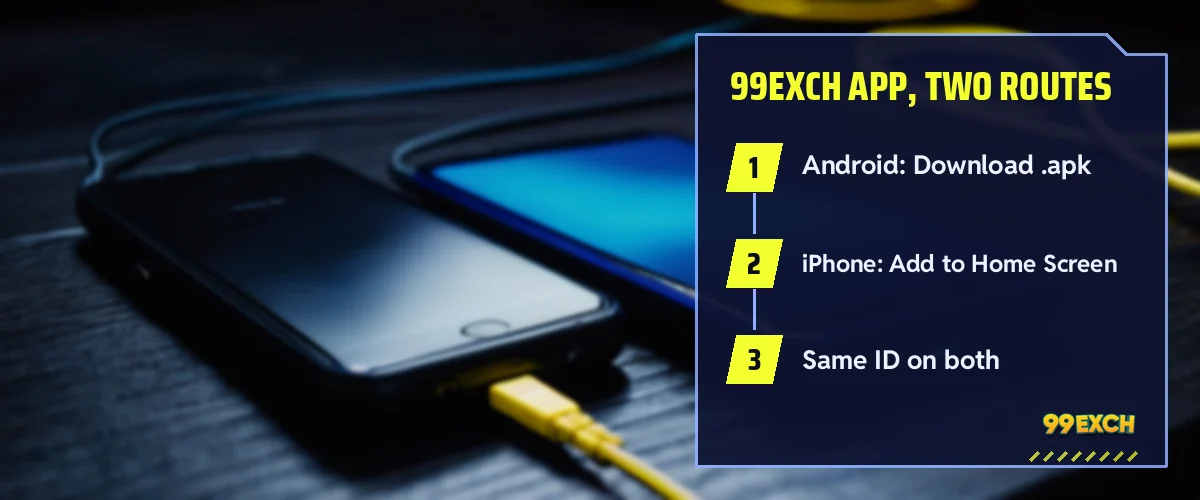
Install the 99Exch app by matching the route to the phone in your hand. Android takes the .apk from the Download .apk action on the sign-in screen. iPhone has no App Store listing, so Safari pins a working address as a home-screen icon. Same User Name, same balance, on both.
Secure 99Exch App Sign-In for Both Phones in the House
Whichever handset you set up first, the 99Exch app ends on one screen. Type the ID once on the Android, once on the iPhone; the 99Exch account behind them stays exactly the same. The mock below copies the form our 10 Oct 2026 check found on the sign-in addresses, field for field, so you know what each phone should show when the install has worked.
Welcome to 99exch
Icon target in this mock: 99exch.live, one of the four addresses that served this form on 10 Oct 2026
Which 99Exch App Route Is the Easy Fit for Each Phone
Picture the usual split in an Indian home: a brother on an Android handset, a sister on an iPhone, and both of them wanting 99Exch one tap away before the evening match. The two phones cannot take the same road. Most of the wasted half-hours we hear about come from someone trying to push the Android method onto the iPhone, or hunting the App Store for a 99Exch listing that is not there.
So decide by the phone, not by habit.
Android Handset: the Official 99Exch App File
Android can run an installable file, and the 99Exch sign-in screen offers one through its Download .apk action. You download it, allow the install once, and open the 99Exch app from the home screen. The permission step and the fixes for a blocked install live on the 99Exch APK download page, so we keep this side short.
iPhone: a Safari Shortcut to a Working 99Exch Address
Apple phones reject Android files outright, and searching the App Store for 99Exch turns up nothing official. That leaves Safari. Load a 99Exch address, use the Share sheet, and the address turns into a home-screen icon the iPhone owner taps like any other app; the six taps are listed further down.
That is the whole decision in two boxes. The table below adds the edge cases, because real households rarely stop at two clean options.
| If the phone is… | And you want… | Take this 99Exch route |
|---|---|---|
| Android | a proper 99Exch app icon | Download .apk on the sign-in screen |
| Android | nothing installed, only a fast way back | Chrome menu, then Add to Home screen on a working address |
| iPhone | an icon next to your other apps | Safari, Share, then Add to Home Screen |
| iPhone | to look around before signing in | 99exch.com in Safari, which showed the full lobby in our check |
| Either phone | to try the screens without money | Login with Demo ID |
Worked 99Exch App Example: Setting Up Both Phones in One Sitting
Here is how a typical two-phone setup runs when it goes smoothly, in the order that wastes the least time.
- The Android owner opens a working 99Exch address in Chrome, sees Welcome to 99exch, and taps Download .apk under the form.
- While that file comes down, the iPhone owner opens Safari, types the same address, and waits for User Name and Password to show.
- Android: allow the one-time install, open the 99Exch app, sign in. iPhone: Share, Add to Home Screen, Add, then tap the new icon and sign in.
- Both write the pinned address on a note, so the next swap is one decision, not a search.
Ten minutes, roughly. Less if the ID is already in hand; more if someone has to message the desk for one first, which is normal for a first-time player.
House rule that settles it: Android gets the file, iPhone gets the icon, and both phones type the same 99Exch ID.
One more thing before the steps. If both people in the house are going to share a single 99Exch account, the two installs are simply two doors into it; if each wants their own wallet, that is a separate ID, and we cover it further down.
Add the 99Exch App Icon to an iPhone in Six Quick Taps
This is the part this page owns, so it gets the detail. Do it in Safari. A link opened inside WhatsApp, Instagram or another app usually lands in that app's own built-in browser, which often lacks the Add to Home Screen choice; if you do not see the option, that is nearly always why.
- Open Safari itself. Not the in-app viewer that a chat link throws you into. Start from Safari's own icon so the Share sheet has every option.
- Type a working 99Exch address. Pick a sign-in address from the table under these steps; .red, .live, .green and .win all served the form on 10 Oct 2026.
- Wait for Welcome to 99exch. Let the page finish loading until User Name, Password and Login appear, so the icon you save points at a page that actually works.
- Tap Share. Look for the box-and-arrow symbol Safari uses for sending any page somewhere; if the toolbar slid away while you scrolled, a tap near the bottom edge of the 99Exch screen brings it back.
- Choose Add to Home Screen. Scroll the Share list if it is hidden below the first row of actions.
- Name it, then tap Add. In a shared house, a label that says whose phone it is, such as 99Exch Home, stops anyone confusing it with a different shortcut later.
Tap the new icon once to test it. It should open the address you saved and show the sign-in screen, where your usual User Name and Password go in. The icon itself holds no password and no balance (it is a saved address, nothing more), which is why deleting it and adding a fresh one never touches the account.
Which 99Exch Address to Pin: a Clear Choice Table
The address you save decides what the icon opens. Here is what each one served when we tested on 10 Oct 2026 at about 16:45 IST; treat it as a dated snapshot, not a promise.
| Address | What it served on 10 Oct 2026 | Pin it on the iPhone? |
|---|---|---|
| 99exch.red | Sign-in screen titled Welcome to 99exch | Yes, if you want to land on Login |
| 99exch.live | The same sign-in screen | Yes, a good second choice |
| 99exch.green | The same sign-in screen | Yes |
| 99exch.win | The same form, Download .apk present there as well | Yes |
| 99exch.com | Full sports lobby with Rules and Login on top | Yes, if you like browsing first |
| 99exch.io | 404, no site at all | No |
Betting addresses get blocked in India now and then, by one network or another. When the address behind your icon stops loading, the fix takes under a minute: press and hold the old icon, remove it, then repeat the six taps with another working 99Exch address. Same ID. Same balance. The mobile route is worth knowing too, becuase the /m/home and /m/login paths on .red opened the sign-in screen directly in our check; the 99Exch com m home route page has the details if you prefer pinning that path.
A small habit that saves a lot of bother: pin two icons on the iPhone, not one. Put a sign-in address such as 99exch.red on the first screen and 99exch.com in a folder as the backup, because when one is unreachable the other may still load, and you can swap without opening Safari to type anything. Same account behind both, obviously. It costs ten seconds and a little home-screen space.
99 Exchange App or Browser Tab: a Real Side-by-Side
People ask whether the 99 exchange app is somehow better than just opening 99Exch in a browser. Hard to say in the abstract. In practice the answer depends on what goes wrong more often in your house: forgetting the address, or addresses getting blocked.
| Point | Android 99Exch app | iPhone icon | Plain browser tab |
|---|---|---|---|
| Where it comes from | Download .apk on the sign-in screen | Safari Share, Add to Home Screen | Any working 99Exch address typed in |
| Anything downloaded? | Yes, one file | No | No |
| Sharing it in the family | Share This Apk to Friend on the sign-in screen | Tell them the six taps | Send the address |
| Account behind it | Your 99Exch ID | Your 99Exch ID | Your 99Exch ID |
Choose the Android 99Exch app when the phone stays with one person and they want a single icon to tap during an over, without typing an address each time. It is the closest thing to a store app that 99Exch offers.
Choose the iPhone icon because there is no alternative that installs. It behaves like a bookmark with a better seat on the home screen, and replacing it is easy when an address is blocked.
Keep a browser tab as the fallback on both phones. If an address goes dark, a tab lets you try the next 99Exch address in seconds, and the sign-in screen asks for the same User Name and Password it always does.
Android Without the File: an Easy 99Exch Browser Icon
Not everyone wants an installed file on the phone. Some people keep storage tight, some share the handset with a parent, and some simply prefer the browser. Android has its own version of the iPhone trick, and it takes about the same effort.
- Start in Chrome on the Android handset. The brother in our example uses the same 99Exch address his sister pinned, so both phones point at one place.
- Tap the three-dot menu. It sits at the top right of Chrome on most handsets.
- Pick Add to Home screen. Some phones label it Install or Add shortcut; any of these saves the address as an icon.
- Confirm the name and place the icon. Then tap it once to check that the sign-in screen appears.
The result works like the iPhone icon: a saved address, no password stored, easy to replace when a network blocks it. Some households end up with this on both phones and skip the file altogether. Others keep the 99Exch app on the Android for daily use and the Chrome icon as a spare, wich is a sensible split if that phone gets used every evening.
We have not tested how the Android file behaves on the day an address is blocked, so we will not claim anything about it either way. That is the theory side. The practical side is simpler: keep the browser route remembered on both handsets, whatever else you install, and the 99Exch account stays reachable from either phone.
Does the app change the betting itself? No. The sports list, the back and lay columns (a typical pair reads 1.79 | 1.80) and the casino tables come from the same account, and the single My 99 Exch balance sits behind every door.
Fast Fixes When the 99Exch App Install Stalls on Either Phone
Most stalls fall into a handful of patterns, and each has a one-line answer. Find your row.
iPhone shows no Add to Home Screen. You are almost certainly inside a chat app's built-in viewer or a different browser. Copy the 99Exch address, open Safari, paste, and run the six taps again.
The iPhone icon opens a 404. Check which address you pinned. In our 10 Oct 2026 check 99exch.io returned 404, so an icon saved from that address will never work; replace it with .red, .live, .green or .win.
The icon loaded yesterday and not today. That address has probably been blocked on your network. Remove the icon, load another working 99Exch address in Safari, and pin that one instead.
The icon opens the lobby, not the sign-in form. You pinned 99exch.com, which showed the full sports lobby with Rules and Login across the top in our check. Tap Login there, or repin a sign-in address like .live if you would rather land straight on the fields.
The two phones are on different addresses. That is fine. The Android 99Exch app and the iPhone icon do not need to match; any working address accepts the same ID and shows the same balance.
Someone tapped Download .apk on the iPhone. Nothing useful will happen, since iOS cannot open the file. Delete the download and follow the Safari route.
Android refuses the file. The phone wants a one-time permission for installs from your browser; the exact switch and its wording sit on the 99Exch APK page linked above.
A friend asked for the 99Exch app. Share This Apk to Friend on the sign-in screen only helps if that friend is on Android. For an iPhone friend, send the address and the six Safari taps instead; the file is useless to them.
Login says the details are wrong. User Name and Password are case-sensitive, so a capital letter typed on one phone and not the other is enough to fail. The full field list is on the 99Exch login screen page.
Nothing on the list matched? The 99Exch desk on WhatsApp (+91 81097 11726, open 24x7) can look at it, but tell them three things in the first message: which phone, which address the icon or the 99Exch app points at, and what the screen showed. Use the Password Issue lane if the fields reject you; the 99Exch WhatsApp desk page explains how the four lanes split. Two phones, one fix list. Keep it handy.
Easy 99exch app split for the Android handset and the iPhone in one house
The 99exch app is two different things depending on the phone. On Android it is the installable file behind Download .apk on the 99Exch sign-in screen; on an iPhone it is a Safari home-screen icon, because 99Exch keeps no App Store listing. Both open the same account with the same User Name and Password.
Real 99 exchange app answer for the iPhone owner typing that search
Anyone searching for a 99 exchange app on iOS ends up at the same place: Safari, a working 99Exch address, Share, then Add to Home Screen. Pin an address that showed the sign-in screen in our 10 Oct 2026 check, and repin when a network blocks it.
- 99exch.red, .live, .green and .win served Welcome to 99exch on the test day
- 99exch.com opened the full lobby, handy for browsing before Login
- 99exch.io returned 404, so never save it as the 99 exch app icon
- Login with Demo ID lets either phone try 99Exch before any deposit
Trusted 99 exch app checklist before both phones sign in tonight
Decide which handset gets the file and which gets the icon, test each one with a single tap, type the case-sensitive ID carefully, and keep a browser tab as the fallback route on both. If a password goes missing, the 99Exch WhatsApp desk handles it through the Password Issue lane.
After the 99 Exch App Is On Both Phones: Trusted First Steps
With the file on the Android and the icon on the iPhone, the first sign-in is identical on each. Tap, wait for Welcome to 99exch, type the User Name and Password exactly, press Login.
A shared 99Exch account means a shared balance, so whatever is deposited from one handset is visible on the other the moment it signs in; that is how one balance works across sports and casino, and it is also why two people sharing an ID should agree on spending before either of them starts. If the iPhone belongs to someone who wants their own wallet, that is a separate account, requested from the desk as a second 99Exch ID.
- New to the screens? Run Login with Demo ID on one phone first. Practice only, no deposit.
- Funding comes next? Deposits start at ₹100, by UPI or by bank transfer, and it makes no difference which of the two phones sends the money; the 99Exch deposit page covers the rails.
- First top-up planned? Read the welcome to 99Exch offer terms before you pay, since the bonus is tied to a first deposit.
Withdrawals come out of that same single balance, whichever phone asks for them. Nothing extra to learn.
One last household tip, tied to the install and nothing else: write the address you pinned on the iPhone somewhere the Android user can see it as well, because when one network blocks it, both people will want the next working 99Exch address at the same time, and it is quicker to swap it once together.
Verified Answers on the 99Exch App for Android and iPhone
Is the 99exch app a real Play Store or App Store listing?
No, the 99exch app sits in no store we could find. Apple shows no listing for it, and the Android file we confirmed comes from Download .apk on the 99Exch sign-in screen rather than a store page. On 10 Oct 2026 that action appeared on the .red, .live, .green and .win addresses.
How do I get a working 99exch app on iPhone?
Save a 99Exch address from Safari as a home-screen icon: load the address, tap Share, choose Add to Home Screen, then tap Add. From then on the icon opens that address on the sign-in screen. Pick .red, .live, .green or .win from our 10 Oct 2026 check, and repin if a network blocks it.
Is there a safe 99 exchange app for Android phones?
Yes. Android uses the .apk from the Download .apk action on the official sign-in screen titled Welcome to 99exch. Take the file from there rather than from a random file site. The full install steps and the one-time permission switch are explained on our 99Exch APK page.
Is the 99exch app quick to use compared with a browser?
Both reach the same account, so the difference is only the door you use. The Android app sits on the home screen and the iPhone icon is a Safari shortcut. A plain browser tab gives the most freedom when an address is blocked, because switching to another working 99Exch address takes one new URL.
Does the 99 exch app use the same real ID as the website?
Yes, the ID is identical everywhere: the Android file, the Safari icon and a typed 99Exch adress all lead to one account and one balance. What can differ is the typing, since User Name and Password are case-sensitive. If the iPhone owner wants a wallet of their own, the desk issues a second, new ID.