
First sign-in on a new phone
99Exch Login — Easy Captcha Sign-In and a Free Demo Seat
Sign in to 99Exch by typing your User Name and Password into the two boxes and tapping Login, with a reCAPTCHA notice sitting just below. No deposit on the new phone yet? Choose Login with Demo ID and practise first. In our 10 Oct 2026 check, .red, .live, .green and .win all showed this exact screen.
Secure 99Exch Login Seat Picker for a Brand-New Phone
Two slots, one decision. Slot A is the real 99Exch login with the User Name the desk sent you, and Slot B is the Login with Demo ID route for a handset that has never held a deposit.
Welcome to 99exch · sign-in screen mock
Slot A · your real 99Exch account
Sign In to 99Exch With Both Boxes FilledSlot B · practice only
No deposit is asked on this route. It is the one part of the 99Exch screen a person without an ID can use today.
Open Login with Demo ID, No DepositFour extras follow on the real screen, a reCAPTCHA line among them, and none of the four signs anyone in.
Official 99Exch Login Screen, Read Line by Line
A new phone opens the 99exch login with nothing remembered. No saved User Name, no autofill, no session carried over from the old handset. So the screen deserves one slow look before you type anything, because the 99Exch layout puts eight things on it and only four of them are part of signing in. In our 10 Oct 2026 check (around 16:45 IST) the sign-in screen on 99exch.red carried the title Welcome to 99exch, and this is what sat on it, top to bottom.
- User Name First box. On a fresh handset it starts blank, with nothing pulled in from the old phone.
- Password Second box, case-sensitive like the first, so capitals count exactly as the desk wrote them.
- Login Sends both boxes to your real 99Exch account and its balance.
- Login with Demo ID The practice seat. No deposit, nothing of yours on the line.
- reCAPTCHA notice A single small line saying Google reCAPTCHA protects the page, with links to the privacy and terms pages that apply.
- Download .apk The Android install file for 99Exch.
- Contact On Whatsapp Opens a chat with the 99Exch desk.
- Share This Apk to Friend Passes the same install file to someone else.
Two boxes, two buttons. Everything else on the 99Exch sign-in screen is a helper, not a step.
One address behaves differently, and it catches people out. On 99exch.com our check showed the full 99Exch sports lobby with Rules and Login on the top row, not this sign-in screen; the Login on that row is the .com way in, and the 99exch com login route from the lobby covers it properly. 99exch.io returned a 404. Skip it.
Phones add one more wrinkle. The /m/home and /m/login paths under .red rendered the identical sign-in screen in our test, which is why the 99Exch m home path on mobile lands you on the boxes before anything else.
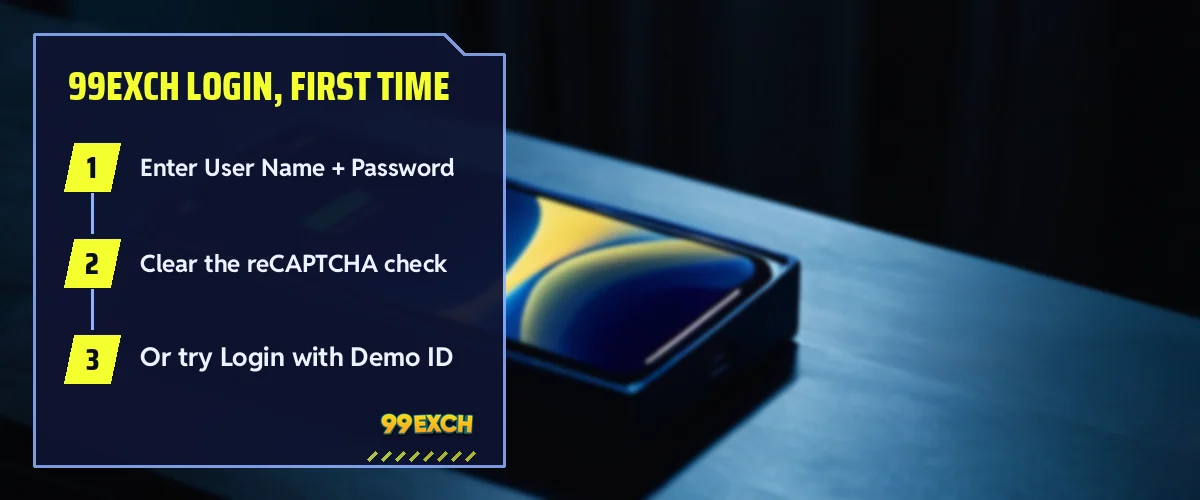
Why does any of this matter on a new handset? The old phone may have filled your 99Exch User Name for months. Plenty of people find out only now that they never really knew whether the name started with a capital letter (the original message from the desk, if it came by WhatsApp or SMS, is still the best place to check). Read it. Then type.
Notice what the 99Exch screen does not carry, too. There is no Forgot Password link on it, no Register button and no sign-up form, which surprises people who expect the usual three-link footer under a login box. Both of those jobs run through Contact On Whatsapp instead: a lost password goes to the desk, and so does a request for a first ID. On a new phone that matters, because the instinct is to hunt the screen for a reset link that simply is not there.
Easy 99 Exch Login Steps for the First Day on a New Phone
Seven steps, and the the sixth one is optional. They assume you already hold a 99Exch ID; if you do not, read step six first, because it is the only part of the 99 exch login screen that works without one.
- The desk message with your 99Exch User Name, open in another tab or app.
- One address from our 10 Oct 2026 list typed fresh, not followed from an old link.
- Auto-capitalisation noticed on the new keyboard.
- Pick a working address Open one of the addresses that served the 99Exch sign-in screen in our 10 Oct 2026 check: 99exch.red, .live, .green or .win. Leave out 99exch.io, which returned a 404.
- Find the desk message Scroll to wherever your 99Exch ID was delivered, chat or text, and go through the name one character at a time.
- Fill the User Name box Type the name exactly as written there, keeping every capital and leaving no space before or after it.
- Fill the Password box Second box now. The dots hide every character, so reread the desk message once more before moving on, slowly.
- Tap Login once Press Login a single time and give the page a moment; the reCAPTCHA notice under it only tells you Google protects the screen.
- Take the demo seat if undecided Not ready to put money on the new phone? Tap Login with Demo ID instead and practise with no deposit.
- Keep the address handy Once you are in, bookmark the address that worked so the next 99Exch sign-in starts from the right place.
Step four trips more people than any other, and the reason is boring: new keyboards switch on auto-capitalisation by default, so a password that begins with a small letter quietly becomes a capital the moment you tap the box, and the 99Exch screen then refuses a password you are certain you typed correctly. Watch the first letter.
A common pattern. Someone moves from an old Android to a new one, opens 99exch.live, types the name in lower case out of habit and gets refused twice. The name had one capital. Third try, straight in.
Still refused after that? Then the problem is probably not your typing. Three possibilities remain on a 99Exch account: the name in your note is from an older ID, the password was changed at some point, or the address itself is blocked on this network. Only the last one you can test alone, by switching address.
If a second address is needed later, nothing about these steps changes. Betting domains get blocked on Indian networks now and then, and the same 99Exch ID with the same balance works on whichever address is answering that day, so step one is the only line you ever repeat.
Real 99Exch Login or Login with Demo ID: A Clear Pre-Deposit Choice
This is the actual decision on a phone that has not seen a deposit yet. Both actions sit next to each other on the 99Exch screen, and both are one tap. What differs is what is behind them.
| What you are weighing | Real 99Exch login | Login with Demo ID |
|---|---|---|
| What you need | User Name and Password from the desk | Only the demo action on the screen |
| Money involved | Your real 99Exch balance | None, practice with no deposit |
| Best moment | You hold an ID and want your balance | No ID yet, or the screen is new to you |
| What comes next | Deposits start at ₹100 | Ask the desk for a real ID when ready |
Read the table as a set of if-then rows. That is roughly how the choice plays out in practice.
- If the desk already sent you a 99Exch User Name, then use Login. Your ID and balance follow you to any working address, so the new phone changes nothing about the account.
- If you have no ID at all, then the demo seat is the one thing you can use today. A real login comes from the desk, which quotes about a minute for a fresh 99Exch new ID over WhatsApp.
- If you hold an ID but back and lay prices are new to you, then spend a session in the demo first. A row like 1.79 | 1.80 shows two prices for one outcome; backing is betting for it, laying is betting against it.
- If you cannot remember the password, then neither box helps. Go straight to the password section below.
Demo means practice. No deposit goes in, and none of it is your 99Exch balance.
When the real account is the right pick, money questions belong elsewhere: the 99Exch deposit page owns the ₹100 minimum, UPI and bank transfer, and payout timing, so this page stops at the sign-in itself. Hard to say which seat suits you without knowing your history. Most returning players skip the demo; most first-timers should not.
One small check after you are in. On a phone where you tried the demo earlier, it is easy to lose track of which seat is open, so before anything involving money, glance at the balance and make sure it is your own 99Exch figure rather than a practice one. If it looks wrong, go back to the sign-in screen and use Login with your User Name. That takes ten seconds. Getting it wrong takes longer to untangle.
There is a side benefit to starting with the demo on a new handset. It tells you whether the address loads at all on this phone, on mobile data and on home wifi, before your real 99Exch User Name is involved. If one network refuses the address and the other opens it, you have learned something about blocking, not about your account, and the real login will behave the same way on whichever network works.
99 Exchange Login Password Trouble: Fast Fixes by Symptom
Most failed attempts on the 99 exchange login come down to a handful of symptoms. Match yours, apply the fix, try once more.
Refused at once on 99Exch: the quick case check
The User Name and Password are both case-sensitive. Compare each letter with the desk message, especially the first one, and retype rather than paste if the old note had a stray space.
Password never typed by you: the trusted 99Exch desk route
Some people only ever saw dots. The old handset filled that 99Exch password for years, so there is no memory to retype from and no reset link on the screen to fall back on. That case goes to the desk, with the reset steps kept on the 99exch com login page as background reading.
Screen will not open: try another working 99Exch address
Your network may be blocking that address. Move to another of the addresses that answered in our check. Same ID, same balance.
Lobby instead of boxes: the real 99exch.com behaviour
You opened 99exch.com, which showed the sports lobby in our test. Use the Login on its top row, or go to .red, .live, .green or .win for the boxes directly.
Inside the demo by mistake: a safe 99Exch way back
The two actions are stacked closely, and a hurried tap lands on the wrong one. If the balance shown is clearly not yours, head back to the sign-in screen and use Login with your own User Name.
A 404 page instead: the proven 99Exch address list
In our 10 Oct 2026 check, 99exch.io returned a 404 and served no site at all. Type one of .red, .live, .green or .win instead, fresh, rather than reusing an old saved link.
A file starts downloading: the easy 99Exch fix
Download .apk sits just under the the sign-in actions. A tap there begins the Android install file rather than signing you in. Cancel it if you did not mean to, scroll back up and tap Login.
Writing in? Send two details along with your question to +91 81097 11726: the address you tried, and what the 99Exch screen did when you tapped Login. Of the four lanes on the desk page (New ID, Deposit Issue, Withdrawal, Password Issue), this situation is always the last one. The 99Exch WhatsApp number page holds the lanes and the 24x7 WhatsApp and Telegram cover; this page only needs you to arrive with the right two facts.
Quick 99exch login and 99 exch login wording, as typed on a new handset
People search for the 99exch login in several spellings, and all of them point at the same sign-in screen described above. Typing 99 exch login with a space, or 99exch login joined up, makes no difference to the account: the User Name and Password boxes, the Login action and the demo route stay the same on every working address from our 10 Oct 2026 check.
The 99 exchange login spelling usually comes from people who heard the brand name spoken aloud. It reaches the same 99Exch boxes, and the same case rules apply to both fields.
Verified 99 exchange id login and password terms for the demo-or-real choice
A 99 exchange id login simply means signing in with the ID the desk issued, which is the real-seat route on this page; without that ID, Login with Demo ID is the only option on the screen.
A 99 exchange login password search nearly always means a forgotten or mistyped password. Retype it with the right capitals first, then use the desk's Password Issue lane if it still fails.
| Search wording | What it means on this 99Exch page |
|---|---|
| 99exch login | The two-box sign-in plus Login |
| 99 exchange id login | Real seat with a desk-issued ID |
| 99 exchange login password | Case check, then the Password Issue lane |
Working 99 Exchange ID Login on the App or in a Browser
The new phone also raises a second question: install something, or stay in the browser? Either way the 99 exchange id login uses the one ID the desk gave you, because 99Exch does not hand out a separate app account.
- If the phone runs Android, then the Download .apk action on the 99Exch sign-in screen is the install route; the 99exch apk install steps cover what to allow on the phone.
- If the new handset is an iPhone, then ignore Download .apk altogether, since that file is Android-only; the browser shortcut route on the 99Exch app page is the one that fits.
- If a friend on the same new-phone hunt wants it, then Share This Apk to Friend passes the file along; their own ID still comes from the desk.
Browser or app, the account underneath is one account, and the 99Exch ID explained page goes into what that ID actually is. Probably the simplest test on day one: sign in through the browser first, confirm the balance looks right, and only then decide whether an install is worth it on this handset.
Moving from an old phone, three things are worth carrying across before the old one is wiped, and none of them is the 99Exch account itself, which lives with the the desk rather than on the device:
- The 99Exch desk conversation itself, because on most handsets it is the only written record of the User Name you were given.
- Whichever address you last signed in from, so the first attempt on the new phone starts somewhere that answered recently.
- A fresh copy of the .apk, which you can fetch again from Download .apk on the sign-in screen rather than copying an old file over.
Forget the first item and the rest gets slow. Without the desk chat you are back to asking the 99Exch desk for your details, which works but costs a message round. Keep that chat.
Trusted 99Exch Login Answers Before You Tap Login
How do I do the 99exch login on a new phone?
Open a working address such as 99exch.red, type your User Name and Password exactly as the desk sent them, and tap Login. In our 10 Oct 2026 check, .red, .live, .green and .win all showed this screen. Without an ID yet, use Login with Demo ID to practise first.
What does Login with Demo ID give me on 99Exch?
It gives you a practice seat with no deposit. You can learn the 99Exch screens and see how back and lay prices look without putting any money in. When you want a real balance, ask the 99Exch desk on WhatsApp for your own ID and sign in with Login.
I forgot my 99 exchange login password. What now?
Check the capitals first, because a 99 exchange login password that fails is more often mistyped than forgotten. If it is truly gone, for instance because an old handset always filled it in, write to the 99Exch desk and pick Password Issue. The sign-in screen has no reset link of its own.
Is the 99 exch login case-sensitive?
Yes. Both the User Name and the Password are case-sensitive on 99Exch, so a single capital in the wrong place fails the attempt. New phone keyboards often capitalise the first letter automatically, which is the most common cause of a refused sign-in on a fresh handset.
Does the 99 exchange id login change between the 99Exch app and a browser?
No. The 99 exchange id login uses the same ID and password in both places, and the balance is the same. Android users can install from Download .apk on the sign-in screen, while iPhone users stay in the browser and add the address to the home screen.
Why does a reCAPTCHA notice appear on the 99Exch login screen?
The notice tells you Google reCAPTCHA protects the sign-in page, with links to the privacy and terms pages that apply. It is not an extra field to fill. On the 99Exch screen it sits under the Login and demo actions, and you simply tap Login as usual.
Which address showed the 99exch login screen in your check?
On 10 Oct 2026 around 16:45 IST, 99exch.red, .live, .green and .win showed the Welcome to 99exch sign-in screen. 99exch.com showed the sports lobby with Login on top, and 99exch.io returned a 404. Addresses change, so treat this as a dated result, not a permanent list.