
Café laptop sign-in fixes
99Exch Com Login — Trusted Fix When the Password Will Not Take
Sign in to 99Exch on a shared café laptop by clearing any saved autofill, checking caps lock, and typing your case-sensitive password slowly once the reCAPTCHA notice loads. Http or https, the box is identical. Betting domains get blocked in India from time to time, yet the same 99Exch ID and balance open on any working address.
Safe 99Exch Com Login Card for a Borrowed Café Keyboard
One decision before anything else: type fresh, or trust whatever the café browser remembers? Type fresh. The mock below copies the two 99Exch fields and the order we would follow at a counter machine somebody else used ten minutes ago.
Welcome to 99exch · two fields, both typed by you
- Caps lock off
- Autofill cleared
- reCAPTCHA notice visible
- Login pressed once
Https 99Exch Com Login or Http: One Trusted Box, Two Prefixes
Café browsers are messy about prefixes. Someone before you typed 99exch.com with http in front, the address bar remembered it, and now the suggestion list offers both http 99exch com login and https 99exch com login as if they were two different doors into two different accounts. They are not. Both reach the same 99Exch sign-in, with the same User Name and Password fields and the same account sitting behind them.
What the prefix actually changes. The letters before the colon decide how the page travels between the café router and the 99Exch server, not which account box you land in. Https wraps that trip in encryption; plain http does not. On a shared network that difference matters more than it does at home, so we would type https every time and leave the old suggestion alone.
So what did 99exch.com itself show? In our 10 Oct 2026 check the bare .com address opened the full 99Exch lobby rather than a sign-in card, with Rules and Login across the top, the sport list running down the page and the casino tables below it. Tap Login there and the fields appear. The longer tour of that first screen sits on our 99 Exch Com lobby breakdown, which keeps this page on the sign-in itself.
If the bar shows http and a warning, retype the address with https before entering anything. If https loads the lobby, use the Login at the top. Neither prefix loading at all? The address is probably blocked on that café line, so skip to the address rows further down instead of reloading the same tab ten times.
Same box, either way. One more café habit catches people out: the browser autocompletes 99exch to a different ending that somebody else used last week. That is not wrong, exactly, because the .red, .live, .green and .win addresses all served the Welcome to 99exch screen in our 10 Oct 2026 check. Still, read what the bar says before a password goes into it.
And if you type no prefix at all? Most browsers fill one in for you, and on a shared machine you cannot be sure which. After the page opens, tap the address bar once and look at what it really reads. If it starts with https, carry on to the 99Exch fields; if it shows plain http, fix it then and there, because a password typed over the unencrypted version of 99exch com login travels across café wifi that every other seat in the room shares with you.
99Exch Com Login Password: Quick Case-Sensitive Retype Before Any Reset
Most refusals at a café counter are not forgotten passwords. They are the right password typed wrong on a keyboard you have never used. The 99Exch User Name and Password are both case-sensitive, so one capital where a small letter belongs is enough to bounce you, and shared keyboards tend to keep caps lock on from whoever typed last.
Retype first. Reset later.
- Empty both fields. Click into User Name and delete whatever autofill dropped in, even if it looks like yours; a stranger's saved 99Exch name can differ from yours by a single character.
- Check the lock keys. Look for the caps lock light, and if your password has digits, use the number row, because a café keypad with num lock off types nothing at all.
- Read the name off your own phone. Keep the 99Exch chat open on your handset beside the café keyboard and copy each letter across, capitals exactly where they sit.
- Type the password slowly. One character at a time, and no pasting from a café clipboard that the next customer could read back.
- Wait for the reCAPTCHA notice. It sits under the fields on the sign-in screen; if it has not appeared, the page is still loading on a slow line.
- Press Login once. Double taps on a lagging connection can resubmit a half-filled form and look exactly like a refusal.
Two clean attempts like this tell you something useful. If both fail with caps lock off and both fields typed by hand, the 99exch com login password itself is probably the problem, not your typing, and the reset lane further down is your next move. Before that, run one cheap test on the same machine: press Login with Demo ID. If the demo opens, the address and the café connection are fine, and the fault narrows to your own password. Every field and action on that screen is listed on our 99Exch login screen page if you want to match what you see.
Refuse the save prompt. If the café browser asks to store your 99Exch password, say no. Saying yes leaves your sign-in inside a machine the next person will sit at (the prompt is easy to accept by reflex when you are rushing to catch a match start).
A small detail people miss: the User Name is case-sensitive too. Players retype the the password five times while the real slip is a capital letter at the front of the name. Check both.
Password in the wrong field. On a cramped café monitor it is easy to start typing before clicking, so the characters land in the User Name field, where they sit in plain view for anyone walking behind your chair. If that happens, wipe the field at once, click into Password on purpose, and start that 99Exch entry again from the first character.
Safe order for a 99exch com login typed on a café laptop
Five search phrases point at the same 99Exch sign-in, and each hides a slightly different worry. This fold matches each one to what you should do at a shared keyboard.
- 99exch com login
- The main sign-in: User Name and Password typed by hand after clearing autofill, then Login pressed once.
- https 99exch com login
- The encrypted form of the address, and the one to type on café or office wifi.
- http 99exch com login
- Usually a leftover from whoever used the café browser before you; it reaches the same 99Exch fields, but swap http for https before typing anything private.
- 99 exch com login
- Whatever gap you leave in the search box, the page you reach still asks for one User Name and one Password; the space matters to the search engine, never to what you type at the counter.
- 99exch com login password
- Case-sensitive. Retype first, and use the Password Issue lane only after two clean failures.
Quick 99Exch retype order when the password bounces at the counter
Six moves, in this order, before you message anyone about a refused 99Exch sign-in:
- Delete what autofill placed in both fields.
- Confirm the caps lock light is off.
- Copy the User Name from the chat where your ID arrived.
- Type the password one character at a time.
- Wait until the reCAPTCHA notice shows under the fields.
- Press Login once and give it a moment.
Verified 99Exch address results from our dated café-hour check
On 10 Oct 2026, around 16:45 IST, the .red, .live, .green and .win addresses answered with the Welcome to 99exch screen, .com opened the full 99Exch lobby with Login on its top row, and .io returned a 404. Treat that as a snapshot: blocks shift between networks, and the same ID moves with you.
99Exch Com Login Errors on Café Machines: Reliable Fix Table
Each row starts from what the screen does, because at a café counter that is all you can see, and ends with the single move we would make next on 99Exch.
| What the screen does | Likely cause | Next move |
|---|---|---|
| Returns to the same empty box | Case mismatch, or a captcha that never finished | Retype both fields by hand; wait for the reCAPTCHA notice |
| Fields fill with a name you do not know | Autofill left by an earlier customer | Clear both fields and type your own 99Exch User Name |
| No reCAPTCHA notice under the fields | Slow café line, page only half loaded | Reload once, wait for the notice, then sign in |
| 99exch.com shows sports but no fields | That address opened the lobby in our 10 Oct 2026 check | Tap Login on the lobby's top row |
| 99exch.io shows a 404 | No site served there in our 10 Oct 2026 check | Use .red, .live, .green or .win instead |
| Nothing loads on either prefix | Address blocked on that network | Switch to another working 99Exch address |
| Demo opens, your own ID does not | The password itself is wrong or was changed | Message the Password Issue lane on WhatsApp |
Picture a regular at an internet café near a college gate. He types his 99Exch User Name from memory, autofill tacks on an extra letter, caps lock is still on from the last customer, and the reCAPTCHA notice is half loaded when he presses Login twice. Three faults, one refusal.
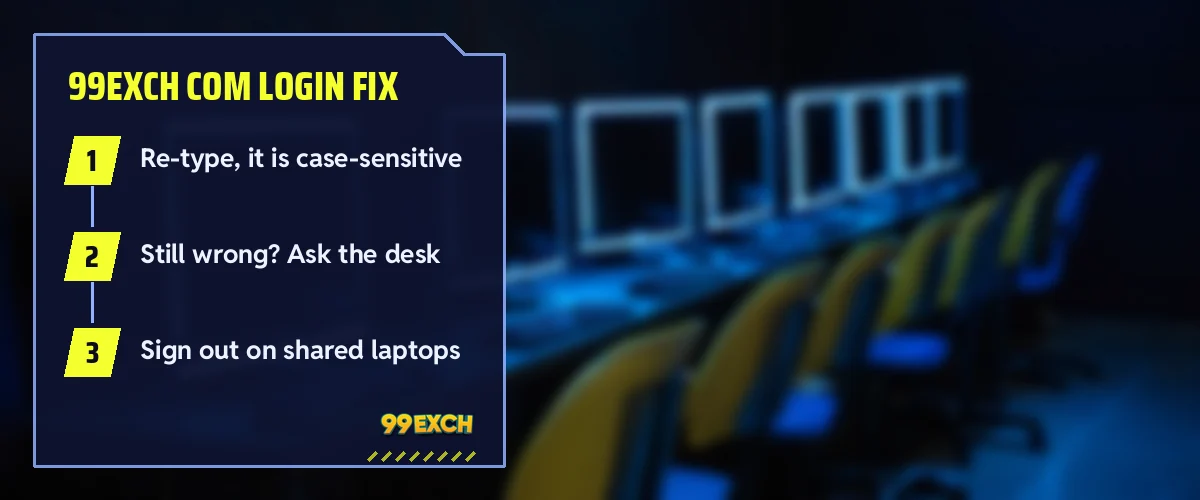
Fixing just one of those three would still leave him locked out, which is why the table reads better as a sequence than as a menu you pick from. Clear the fields, check the lock keys, wait for the notice, press once.
The row people skip is the lobby row. On 99exch.com, in our 10 Oct 2026 check, the first screen held no fields at all, only the sport list, the casino tables and the New Launch row, with Login sitting at the top. Players who expect a sign-in card read that as a broken page. It is not broken. It is a different first screen, and its Login action leads to the same 99Exch fields that the other addresses show straight away.
When to stop retrying. After two careful attempts through the table, a third or fourth rarely changes the result on 99Exch; it mostly eats into the café time you paid for. Move to the address rows below, or write to the 99Exch desk on WhatsApp with the details listed further down.
99 Exch Com Login on Other Addresses and Phones: Working Choices
A café network that blocks one 99Exch address often lets another through, and the account does not care which one you use. Same ID, same balance. Here is how each address behaved when we checked it on 10 Oct 2026, around 16:45 IST:
- 99exch.red, 99exch.live, 99exch.green the Welcome to 99exch screen, with User Name, Password, Login, Login with Demo ID and the reCAPTCHA notice underneath.
- 99exch.win the same sign-in screen, showing Login, Login with Demo ID and Download .apk.
- /m/home and /m/login on .red no lobby to scroll past, just the two fields, which suits a retry after a refused password.
- 99exch.com sports and casino first; no field shows until you press its Login action.
- 99exch.io a 404, so there was nothing to sign into.
These are dated results, not promises. An address that answered on 10 Oct 2026 can be blocked by a particular internet provider next week, which is why it helps that the same 99Exch credentials work across every one of them. When your 99 exch com login works on one address and fails on another, the account is fine and the network is doing the choosing; take whichever one answers and carry on.
If .red refuses but .live loads, sign in on .live. If every ending fails on café wifi, try the same address on mobile data before touching the password. A 404 on any ending means drop it from your list rather than retrying.
On a phone browser, 99 exch com login is the same pair of fields, only narrower. Mobile data sometimes reaches an address that the café wifi blocks, so switching the phone off the shared network is a fair test before you blame your typing. Android users can also take Download .apk from the sign-in screen (the 99Exch APK install page covers that route), while iPhone users stay in the browser. Whichever device you pick, the money on the other side sits in one balance, as our My 99 Exch account notes explain, so nothing needs moving between a phone sign-in and a laptop one.
Phone or laptop? On a crowded café afternoon, probably the phone. It is your own keyboard, nobody else's autofill sits in it, and the caps lock state is something you already know.
A short note on the /m/ paths. In our 10 Oct 2026 check, /m/home and /m/login on the .red address both opened straight onto the 99Exch sign-in screen, with no lobby in front of it. That makes them handy bookmarks on a phone that sees a refused password: one tap and you are back at the two fields, ready for a careful retype, rather than hunting for Login on a busy first screen.
Verified 99Exch Com Login Password Reset Through the WhatsApp Desk
Lost the password outright? Then the café keyboard cannot help, but the 99Exch desk can. The sign-in screen carries a Contact On Whatsapp action for exactly this, and none of the addresses we opened on 10 Oct 2026 showed a reset form of its own. On the CTA page the desk sorts chats into four lanes, New ID, Deposit Issue, Withdrawal and Password Issue; a 99exch com login password problem goes in the fourth.
The number is +91 81097 11726, printed here as text so you can save it on your own phone rather than the café machine. Channels and hours are on our 99Exch WhatsApp number page.
A Password Issue message that saves a round trip
Password Issue. My 99Exch User Name is the one sent to me in this chat. I tried https 99exch.com and 99exch.red, caps lock off, both fields typed by hand, and Login with Demo ID opens fine. Please reset my password.
Why pack all of that into one message? Because each detail answers a question the desk would otherwise send back, and on a paid café timer every back-and-forth costs you minutes that could have gone to the match you sat down for. We have no published turnaround to quote for resets, so we will not guess at one.
Use your own phone for the chat. Not the café laptop.
New password in hand? Read it off your phone screen and key it into the 99Exch fields on the café laptop, capital by capital, since a copy taken from a chat window opened on that shared computer would sit in its clipboard for whoever takes the seat next. Then close the tab, and turn down any offer to remember the login, exactly as before.
First sign-in after a reset. Use the same address that loaded for you before, so a blocked ending does not get mistaken for a bad new password. Type the 99Exch User Name, then the new password, wait for the reCAPTCHA notice and press Login once. If the lobby opens and your balance looks the way you left it, the reset worked; if it bounces, check capitals before you message the desk a second time.
99Exch Com Login FAQ: Real Answers for Café and Phone Sign-Ins
Is https 99exch com login the safe choice over http 99exch com login?
Yes, type https. Both prefixes reach the same 99Exch sign-in box with the same User Name and Password fields, but https encrypts the trip betwen your device and the server, which matters on shared café or office wifi. If the bar shows http with a warning, retype the address before entering anything.
What is the quick fix for a forgotten 99exch com login password?
Message the 99Exch WhatsApp desk and choose the Password Issue lane. Include your User Name, the address you tried and what the screen did, so the desk does not need to ask back. When the new password comes through, type it by hand and mind the capitals, because the field is case-sensitive.
Why is the reCAPTCHA notice missing from a working 99exch com login screen?
Usually the page has not finished loading. The notice appears under the User Name and Password fields once the protection script arrives, and slow café or mobile connections can stall it. Reload once, wait for the notice to show, then press Login a single time, since pressing early tends to bounce you back.
Why does 99exch com login keep sending me back to the same box with no real error?
Almost always a case mismatch, browser autofill or an unfinished captcha. Clear both fields, check caps lock, type your 99Exch User Name exactly as it was sent, then the password slowly, and wait for the reCAPTCHA notice. If Login with Demo ID opens but your own ID still bounces, ask the desk for a reset.
Is 99 exch com login on a phone browser as quick as on a laptop?
Yes, it is the same 99Exch sign-in with the same two fields, only narrower. A phone helps when café wifi blocks an address, since mobile data may still reach it. Android users can also use Download .apk from the sign-in screen, while iPhone users stay in the browser and add it to the home screen.
Why does 99exch com login open on one address and stay blank on another, and how do I pick a working one?
Each café or mobile provider keeps its own block list, so an ending can open on one line and stay dark on the the next. Your account does not change with it: the 99Exch ID and balance follow you. Pick whichever loads; on 10 Oct 2026 the .red and .live endings reached the fields for us, while .io gave a 404.