
.green address · checked 10 Oct 2026
99Exch Green — Trusted .green Mirror to Reach Your Wallet Again
Sign in through 99exch green when a hotel network or a fresh SIM in another state refuses your usual 99Exch link. Betting domains in India get blocked from time to time, yet one ID and one balance work on every live address, and in our 10 Oct 2026 check 99exch.green opened the Welcome to 99exch sign-in screen.
99Exch Green Sign-In Card for a Safe Same-ID Test
One decision sits here: will the .green address accept the 99Exch User Name you already use at home? You fill in nothing new. The mock below repeats the two fields and the two actions that 99exch.green displayed in our 10 Oct 2026 check, so you know what the genuine screen should look like before it loads on a strange network.
99exch.green Welcome to 99exch
Four more lines sit beneath Login on the live .green page; the table section below names each one.
99Exch Green on Hotel Wifi and New SIMs — Trusted Test Results
Picture the the moment. You have checked into a hotel two states away from home, joined the room wifi, typed the 99Exch address you always use, and the browser either spins forever or drops you on a block notice. The same thing can happen an hour earlier at a bus stand, when the prepaid SIM you picked up for the trip sends traffic through an operator that filters betting domains in a different way from your home network. In both cases your 99Exch account is fine.
The address is the problem. Whoever runs that network decides which domains pass, and 99exch green is simply a second road to the same door: .green is a domain ending, like .com or .red, and the ID lives on the 99Exch side rather than on the ending you typed.
| Address | What it served | What it means on a trip |
|---|---|---|
| 99exch.green | Sign-in screen titled Welcome to 99exch: User Name, Password, Login, Login with Demo ID | Type the 99Exch ID you already hold; nothing to register |
| 99exch.red | The same sign-in screen | Next ending to test if the hotel also filters .green |
| 99exch.live | The same sign-in screen | Another fallback with identical fields |
| 99exch.win | The same sign-in screen, Download .apk included | A fourth ending worth one try |
| 99exch.com | The full sports lobby, Rules and Login on top | Lobby first; the sign-in appears after you tap Login |
| 99exch.io | 404, no site served | Skip it; not a working 99Exch address |
Why .green before .red, then? No deep reason. Our check found no ranking among the four sign-in endings; they served the same screen within the same hour. This page tracks the .green row, so it leads here, but if 99exch.red is already in your bookmarks from an earlier trip, start with that and keep 99exch green as the spare. What matters on a hotel network is having two ready, not which one comes first.
Four lines below the Login action prove it is 99Exch. Our check listed a reCAPTCHA notice, then Download .apk, Contact On Whatsapp and Share This Apk to Friend. If you see that stack under the two fields, you are on the genuine 99Exch sign-in screen, not on a hotel login page that happens to ask for a username too.
Hotel networks add one wrinkle that home wifi never does. Many of them put a captive portal in front of the internet, a page that wants a room number and a surname before anything else loads, and untill you clear it every site fails, 99Exch included. Switching to 99exch green will not fix that, because the block has nothing to do with the address. So the order matters. Finish the hotel's own page first, open any ordinary site to prove the connection is alive, then load your usual 99Exch link, and reach for .green only when that one address stalls while everything else works.
Mobile data needs its own line of thinking. A SIM from your home state keeps its home operator even after you cross a border, but a new SIM from a different operator is a different filter altogether, and an ending that opened fine last month may not open on it this week. Hard to say in advance which one a given operator blocks. It shifts. The practical move is to test before anything is riding on it: on the first evening in a new place, open 99exch green once, confirm the Welcome to 99exch screen appears, and bookmark it next to one more working 99Exch ending.
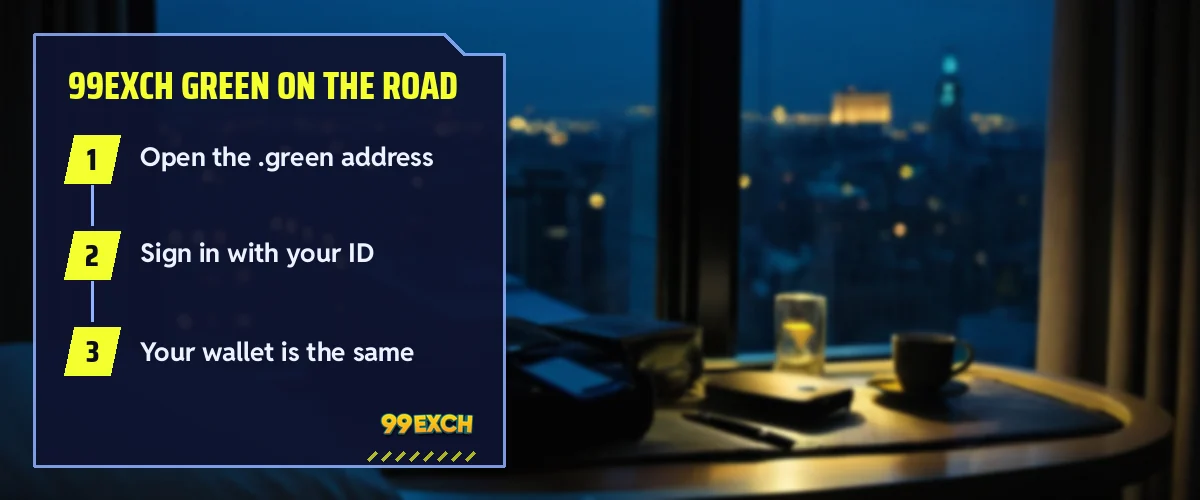
If every website fails on the hotel wifi then the portal is not cleared yet; finish it before blaming 99Exch.
If other sites load but your usual 99Exch link stalls then type 99exch.green in full in the address bar.
If .green also stalls on that network then switch to mobile data, or try .red and .live from the table above.
If .green opens but Login refuses you then the address worked; the trouble is the password, covered further down.
If you only want to see the screen with nothing at stake then tap Login with Demo ID, which needs no deposit.
A first-night test on an unfamiliar network takes a couple of minutes, and doing it while nothing is at stake saves the scramble later. The routine below is the one we would follow, built around what 99exch green actually displayed on 10 Oct 2026.
- Clear the network's own page. Hotel portal, station login, office guest page: whatever stands in front of the internet goes first.
- Load something ordinary. A news site or a search page. If that fails too, the connection is the issue, not 99Exch.
- Try your usual 99Exch address. If it opens, stop here; you need no fallback on this network.
- Type 99exch.green in full. Look for the title Welcome to 99exch, the User Name and Password fields, and the four lines under Login.
- Tap Login with Demo ID once. It confirms the screen responds without touching your balance, and then you bookmark the address.
Five steps, one evening, done. After that the real sign-in on .green is a matter of typing the ID you already own.
Where 99Exch Green Fits as a Working Fallback on Hotel Wifi
Of the four sign-in endings we opened on 10 Oct 2026, .green is the one this page follows. It put up the Welcome to 99exch page with the usual two fields, so someone on a filtered hotel or roaming network signs in at 99exch green with the User Name and Password from home and finds the same 99Exch account waiting.
- a 99exch green sign-in uses the ID you already hold, with no fresh registration on the road
- the sign-in page at 99exch green carries Login with Demo ID for a no-deposit look before anything else
- Download .apk appears on the sign-in page at 99exch green too, useful for Android phones that keep hitting blocked links
- if the page at 99exch green loads but your password is refused, its Contact On Whatsapp action is the way to the 99Exch Password Issue lane
Every ending reaches one account, so the balance you left at home is the balance you see after signing in through 99exch green in another state.
99Exch Green Quick Facts for Someone Testing a New Network
- Address
- 99exch.green, a domain ending rather than a separate site
- Last checked
- 10 Oct 2026, around 16:45 IST
- Screen served
- Welcome to 99exch with User Name, Password, Login and Login with Demo ID
- Account used
- your existing 99Exch ID and the same balance
- If it fails
- try 99exch.red, 99exch.live or 99exch.win; skip 99exch.io, which returned 404
Statuses move with networks and weeks, which is why each line above carries the date of our check instead of a promise about tomorrow.
99Exch Green Login Problems on the Road — Quick Fixes, Error by Error
Most trouble on a trip falls into a handful of shapes, and each one points to a different next move. Read the symptom, not the panic.
The .green page never loads. If ordinary sites open and 99exch green does not, that network is filtering .green as well. Retrying the same address ten times will not change the filter. Move to the next ending instead: the 99exch red address check covers .red, and the 99Exch live sign-in route covers .live, both of which showed the identical screen on 10 Oct 2026. Turning off the hotel wifi and using mobile data is the other quick test, since the two networks rarely filter the same list.
Fields appear, but the password bounces. That narrows things down nicely: the hotel let 99exch green through, so the network is off the suspect list, and what went into the two boxes is now the only thing to check. User Name and Password are case-sensitive, and a phone keyboard that capitalises the first letter on its own is the usual culprit on a borrowed or newly set-up handset. Type both slowly. Still refused? Ask the WhatsApp desk for a reset through the Password Issue lane on the 99Exch WhatsApp number page, which lists +91 81097 11726 as display text.
A page asks for a room number. That is the hotel, not 99Exch. Clear it, then start again from your usual address.
A sports lobby appears instead of fields. You are on 99exch.com, which served the full lobby in our check, with Rules and Login across the top. Nothing is broken there. Tap Login and the sign-in comes up.
A plain 404. Check the ending you typed. 99exch.io returned 404 on 10 Oct 2026, and autocomplete sometimes offers it after one mistaken visit, so type 99exch.green out letter by letter.
Saved bookmarks cause a quieter kind of confusion. Plenty of players keep a mobile path such as /m/home rather than the bare address, and in our check those /m/home and /m/login paths on .red rendered the same sign-in screen first; the 99Exch m home path explained page goes through what each one opens. If an old 99Exch bookmark from home now stalls on hotel wifi, do not edit it endlessly. Open 99exch green fresh, sign in, and save that working address as a new bookmark with the date in its name, so next trip you know how old it is.
Different networks fail in different ways, and the table below sorts the common ones a traveller meets in a single trip. None of it is about 99Exch changing; every row is about the road.
| Where you are | What usually goes wrong | First move |
|---|---|---|
| Hotel room wifi | Portal page first, then some betting domains filtered | Clear the portal, then try your usual address and 99exch green |
| New prepaid SIM, other operator | A different block list from your home network | Test .green and .red on mobile data the first evening |
| Home SIM on roaming | Often the same filter you know from home | Keep using the address that worked before you left |
| Client office guest wifi | Strict filters on many categories at once | Leave 99Exch for mobile data rather than cycling endings |
A typical case: a sales executive from Pune lands in Kolkata for three days, the hotel wifi blocks his usual 99Exch address on the first night, and the new local SIM opens nothing either. He tries .green on mobile data, it loads, and his home ID and balance are exactly where he left them.
Then there is the reCAPTCHA line. In our 10 Oct 2026 check the sign-in page on .green carried a short notice saying the page is protected by reCAPTCHA, and travellers sometimes read that as a warning about their network. It is not. That line belongs to the genuine 99Exch screen and appeared on .red, .live and .win in the same form, so seeing it is a small sign you are in the right place rather than a sign something failed.
One more risk grows on the road: lookalike pages. When the usual link fails, people search in a hurry and tap whatever appears, and a page that copies the look of a sign-in screen costs nothing to build. The defence is the same set of markers from our check. A real 99Exch screen on .green carries the Welcome to 99exch title, the two fields, Login, Login with Demo ID and the four lines underneath. Anything missing, or anything extra such as a request for card details before sign-in, and you close the tab without typing a password. Unsure which endings are current that week? The desk can confirm before you type anything.
- Hotel wifi, every site dead: clear the room-number page before touching 99Exch.
- Hotel wifi, only 99Exch dead: try 99exch green, then .red or .live.
- New SIM, nothing opens: test .green and one more ending on mobile data.
- Screen opens, Login refused: case-sensitive fields, then the Password Issue lane.
- Win ending saved from earlier: the 99exch win login screen showed the same fields, so it stays a valid backup.
After 99Exch Green Signs You In — Same Real Balance on Any Ending
Think about what a hotel-wifi sign-in actually touches. Nothing inside the account. The 99Exch bets you placed from your own sofa last Sunday sit in the same history, the balance that serves sports and casino together is the one described in the single-balance note on My 99 Exch, and a cricket row still offers paired back and lay prices such as 1.79 | 1.80. Only the route your phone used to reach 99Exch is different, and that route was chosen by the hotel, not by you.
Money moves the same way too, though those details belong to other pages. Deposits start at ₹100 over UPI or bank transfer, set out on the 99Exch deposit page, and for withdrawals the desk quotes 2-5 minutes, with the money landing in a bank account that carries your name. Nothing about the .green address alters either figure. In practice the only travel-specific worry is the network: a payment app and a betting address can be filtered differently on the same hotel wifi, so if a UPI step behaves oddly, finishing it on mobile data is usually the faster test.
On 10 Oct 2026, .green, .red, .live and .win all served one sign-in screen for one 99Exch account.
Some travellers stop chasing addresses altogether. The Download .apk action sits right on the 99exch green sign-in page, Android only, and an installed app means you are not retyping endings every time a hotel changes its filter; the 99Exch APK download page covers the install itself. iPhone users have no .apk route. They stay in the browser and add the working address to the home screen, which is where a bookmarked 99exch green earns its keep.
Which ending to bookmark first, then? That is the theory part: any of the four that opened in our check will do. In practice it is messier, because the right answer is whichever one your current network lets through, and that can differ between the hotel lobby and the airport. So keep two. If one is filtered, the other probably is not, and both lead to the same 99Exch account.
- Before leaving home: write down your 99Exch User Name exactly, capitals included.
- Save 99exch green and one more ending, .red or .live, as bookmarks.
- Put +91 81097 11726 in your phone contacts before the trip, so the 99Exch desk stays reachable even when no address loads.
- On the first night away: open the demo route once to confirm the screen loads on that network.
- If both bookmarks stall: ask the 99Exch desk which address is serving that week.
It helps to know what the .green address does not change, because travellers sometimes expect a fresh start on a new ending:
- No second account: the 99Exch ID typed on .green is the same one you hold at home.
- Balance stays single: whatever sat in the account before the trip is what you see.
- Minimums stay put: deposits still begin at ₹100, wherever you signed in.
- No new password: a reset happens only through the desk, never by switching address.
Travelling with a friend who wants an account of their own? The Share This Apk to Friend action on the same screen passes the app along, but an ID is a separate matter: new IDs come through the WhatsApp desk, as the 99Exch new ID page describes, and your own login should never be handed over on a shared phone. One person, one 99Exch ID.
Coming home closes the loop without any extra step. The usual address will most likely open again on your home network, and signing in there shows the bets and balance from the trip, because 99exch green never held a copy of anything; it only carried the requests. Delete nothing. Keep the .green bookmark for the next trip, with its date, and if a later trip finds it filtered, the table on this page tells you where to go next.
That last step is the one people skip. The desk runs 24x7 on WhatsApp and Telegram, and the Contact On Whatsapp action on that .green sign-in page opens the same conversation (the screen still has to load for that, which is the catch), so saving the number before you travel is the cheaper insurance.
99Exch Green FAQ — Clear Answers for a Blocked Link
Is 99exch green working right now?
In our 10 Oct 2026 check, around 16:45 IST, 99exch green opened the Welcome to 99exch sign-in screen with User Name, Password, Login and Login with Demo ID. Status can change from one network to another, so if it stalls for you, try 99exch.red or 99exch.live with the same ID.
Can I use my existing ID for 99exch green login?
Yes, the one you already have. Signing in at 99exch green uses the User Name and Password from your home 99Exch login, because .green is only a diferent road to the same account and balance. Enter both exactly as created, since capitals matter, and use the Password Issue lane on WhatsApp if it stops working.
What is the difference between 99exch green, red and live?
Only the domain ending. In our 10 Oct 2026 check, 99exch green, 99exch.red and 99exch.live all served the identical sign-in screen and reached the same 99Exch account. If one ending is filtered on a hotel or mobile network, another may still open, so keep two of them saved.